Issue Symptoms
Resolution Steps
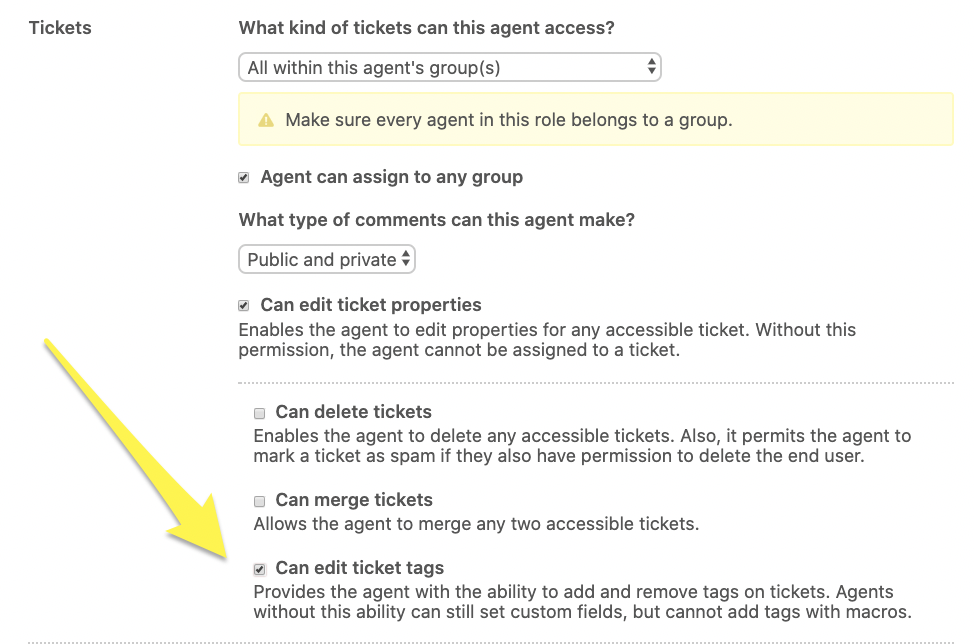
If an agent is in a role that has not been given the permissions necessary to edit ticket tags, they will be unable to add a tag to a ticket, even via a macro. Enterprise Support customers must ensure that each custom role they create has the desired permissions selected.
Admins can check these settings by navigating to Admin ( ) > Manage > People > Roles, then clicking edit on the role they wish to update.
Ensure that the Can edit ticket tags setting is checked, then scroll to the bottom of the page and click Update role to apply the changes.
Once the custom role permissions have been updated and saved, all agents in this role should now be able to apply the macro and have all associated tags successfully populate on the ticket.
Comments
2 comments
testing testing comment comment comment
testing reply to comment
Please sign in to leave a comment.